
Summer is almost over, and I'm back from my break & vacations. I've taken advantage of that time to work on many past suggestions, that usually I wouldn't have much time for, and features I believe would be a nice and fun addition to the game (over 1200 commits 💀)
TLDR
- Monsters are streamed from the server instead of the client replaying commands & guessing. No more rubber-banding, no teleporting bosses, and dodges are judged from what you saw on your screen.
- Your own skills ghost far less. The server now follows your action changes frame by frame and keeps up much better with you chaining skills in situations with high action speed for example.
- Loading is two to three times faster in every phase (and even faster on some older PCs).
- New DirectX 12 renderer. Cascaded shadows and enhanced water on DX11 and DX12.
- Built-in voice chat: town proximity, party and guild channels.
- New recorder with instant replay.
- A complete emoji in chat, with autocomplete and a nice picker.
- Controller support rebuilt, and key bindings work on every keyboard layout.
- Account nicknames, account-wide friends and blocks, claiming inactive character names, account age on inspect.
- 10 inventory pages with every slot unlocked for free, server storage without fees and auto stacking, bulk crafting, farm storage collect all.
- Pets and mounts are now fully tradable, storable and warranty-able.
- Hair/Skin/Eye dyes with a colour picker.
- DPS meter redesigned with a damage timeline.
- Deluxe Boxes & other previewable boxes or pouches now display their rates.
- Added Russian localization, available in the launcher.
- You can now restart the game from the crash dialog.
- Lv90 epic jades can now be extracted.
- Speedrun Board shows RDN HC (instead of normal) by default when opening it & the lv90 nests are available now.
- Class changes for Obscuria, Light Fury, Ripper and Gladiator.
- Easy mode for the Duel dragon nests (for the MQ).
- Crazy Duck Nest and Althea Exploration are back.
1. Monster netcode: server accurate monsters
Before, the server sent your client an occasional command per monster (walk here, use this or that skill) and your client replayed it with a position correction every two seconds. All the drift in between is why monsters were rubber banding, were spinning in place, teleported at the end of a dash, etc.
No amount of adjustments would have made the old system better or reliable in any way, as by design it's never going to be accurate. So I reworked the entire monster netcode from the ground up, from a command replay system to a snapshot stream system.
Now the server streams every monster's real position, facing and animation frame about 30 times a second. What you see is what the server simulated about a tenth of a second ago. And because the server now knows exactly how far behind you are seeing things, a dodge that was clean on your screen counts as a dodge ("lag" compensation).
This is a big change and I spent a long time on it. It will have a few issues we did not catch in testing, but I believe it is the only way to fix the core problems of this game. Testing has shown really good results, but if something feels off, create a bug report with as many details as possible (instant replay should make this easy!).
2. Skill ghosting
Ghosting is when your skill animates on your screen but never hits on the server. It got worse with action speed (Spirit Boost, Beyond Time), with ping and with high FPS. I found a few very likely separate causes and they should all now be fixed. You should notice the improvement especially under the conditions mentioned before.
For now, these fixes only apply to PvE. They don't eliminate every possible case of ghosting, but should make skills feel significantly more consistent and reliable overall.
3. Loading times
Loading is now ultra fast, from the time you boot till the first town load, it's between 3 and 10 times faster now depending on your hardware.
4. DirectX 12 renderer
DNO now has a DirectX 12 renderer, alongside DX9 and DX11.
This is another major engine upgrade. The DX12 renderer moves much more of the scene and rendering workload from the CPU to the GPU, reducing CPU overhead and scaling considerably better in heavy scenes with lots happening on screen.
Right now, DX12 is already somewhat faster than DX11 in most scenes. It's not the same jump that DX9 -> DX11 was (at least not yet) but DX12 gives us a much more modern foundation to build on and considerably more room for future rendering and performance improvements.
Unless you're running particularly old hardware, DX12 will soon be the recommended renderer.
NOTE: while this new renderer is already pretty stable, it's in beta and should be considered as such. There may be issues, so don't hesitate to report anything weird you encounter.
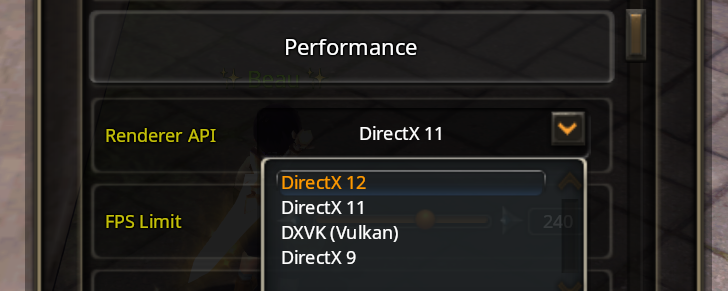
DX11 is also now the default and recommended renderer.
5. FPS and stutter
Performance has also been improved in all renderers. I've also tracked down multiple cases of stutter in the game, so I'm hoping it feels much smoother, especially for older PCs.
6. Graphics settings
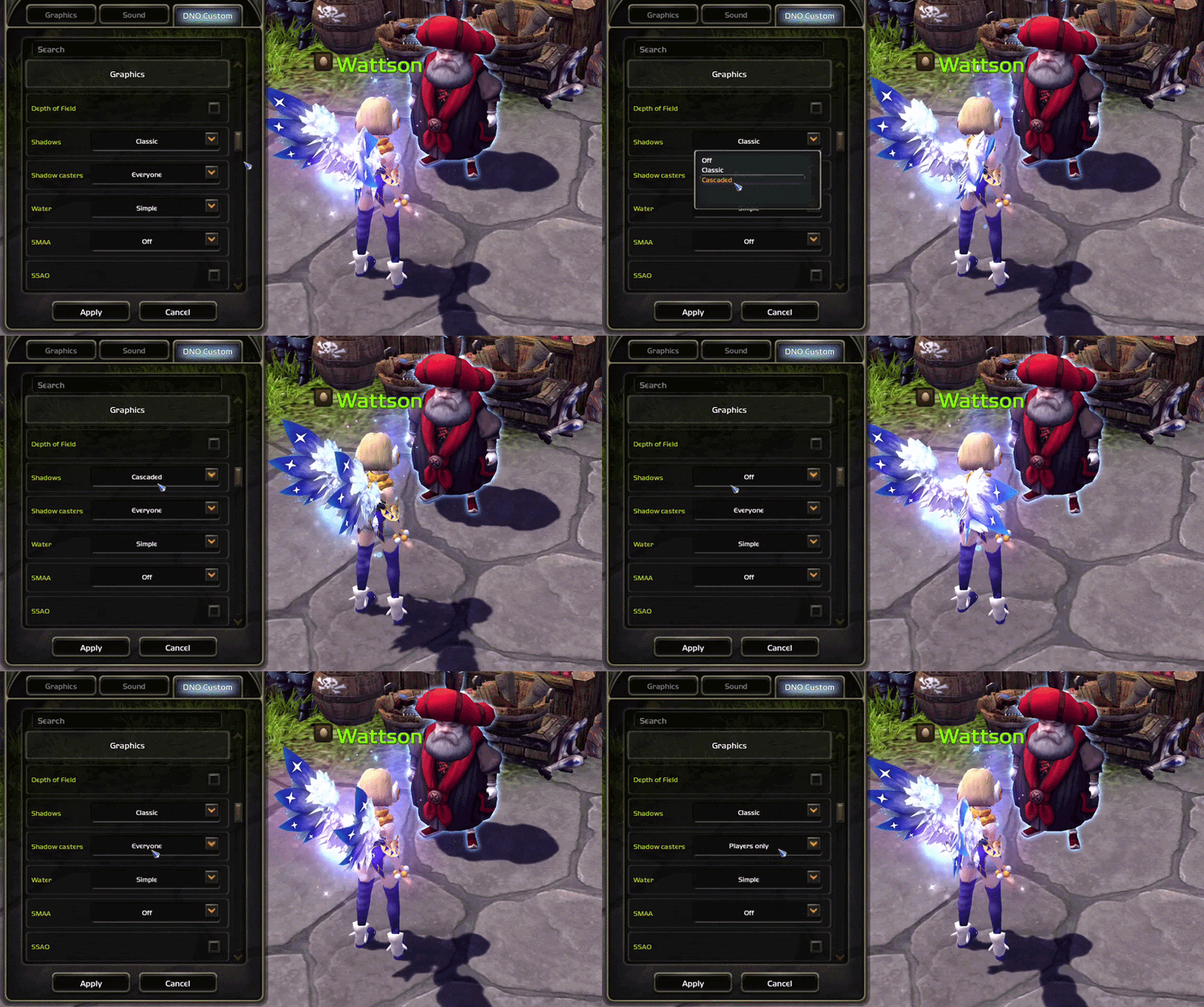
Shadows: DX11 and DX12 have cascaded shadow maps, a higher quality option to render shadows. You can now choose between Off, Classic & Cascaded. Selecting Off will increase your performance if you're struggling.
Water: You can now also choose between Simple, Classic or Enhanced. Enhanced adds a second wave layer, sun glints, stronger reflections at grazing angles and a shore tint, making water look more realistic. Selecting Simple will increase your performance if you're struggling.
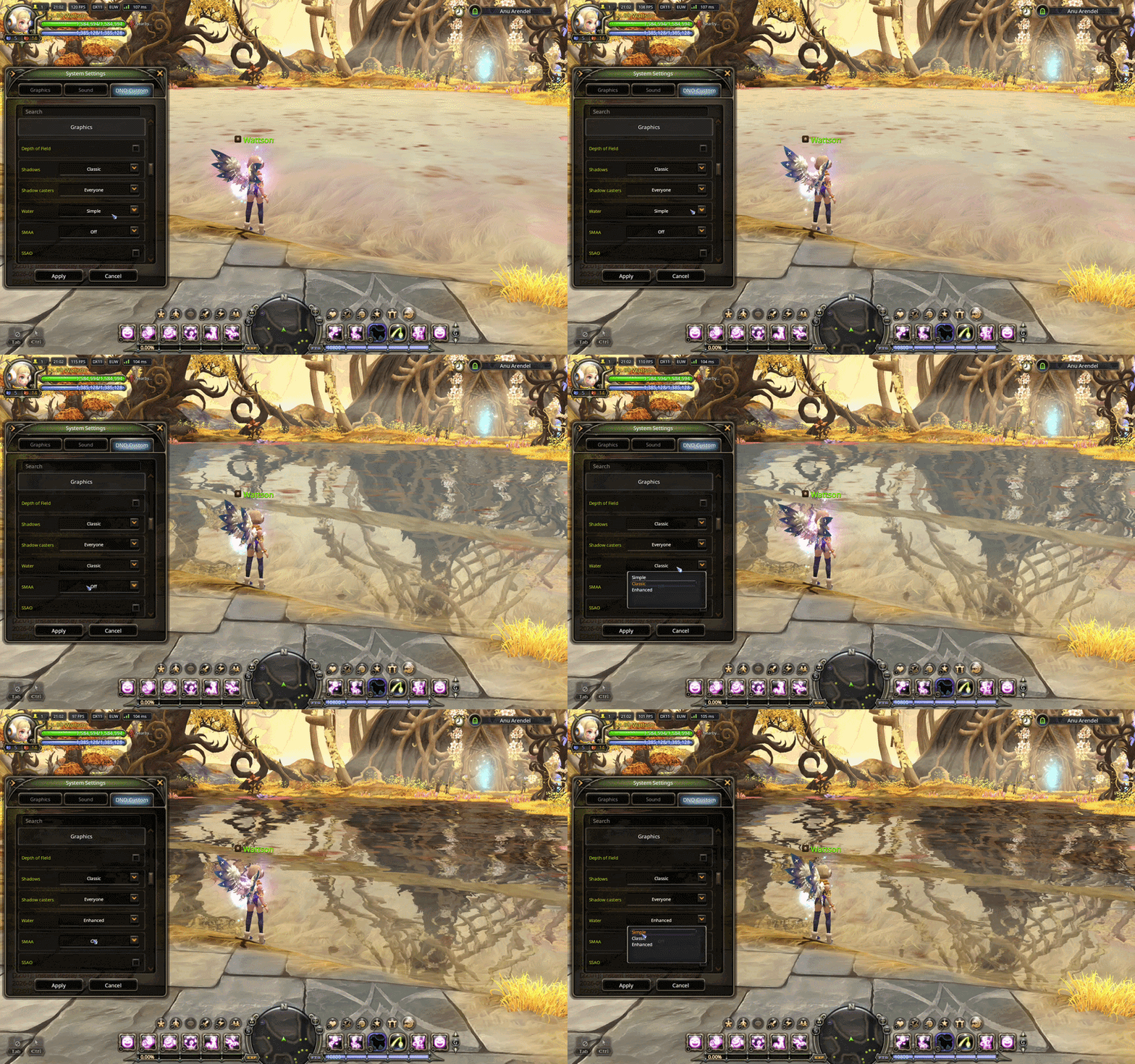
Anti-aliasing: SMAA now has a dropdown for quality: Off, Low, Medium, High or Ultra. Any decent GPU can run Ultra.
The graphics and system settings windows have an arrow button that moves them to the left side of the screen so you can watch the change on the right (especially when it affects your character).
7. Fonts and text
- Added two new fonts, Inter and Noto Sans. Noto Sans is now the default for fresh installs. The font list shows their names (Inter, Noto Sans, Handel Gothic, Roboto, Exo, Arial Unicode) instead of Font 1, Font 2, etc.
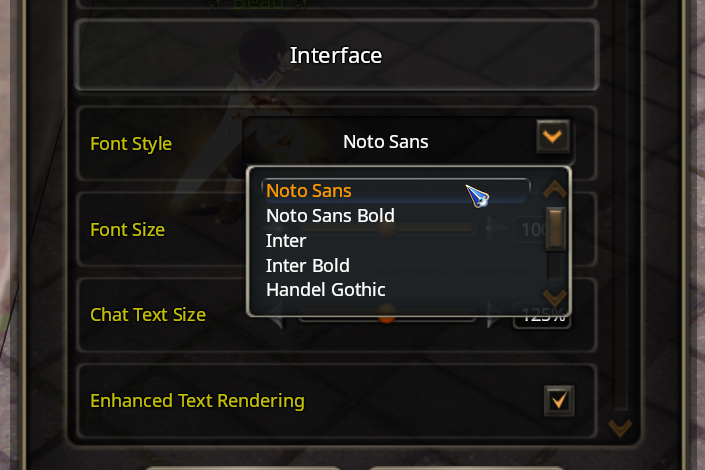
- Enhanced text rendering: runs the UI text through HarfBuzz, an actual text engine used by Chrome and Android. Letters now get the spacing the font designer intended, ligatures work, all to make text look much better. This option also enables higher quality 3D text (floating names such as character names, NPC names, gates, etc).
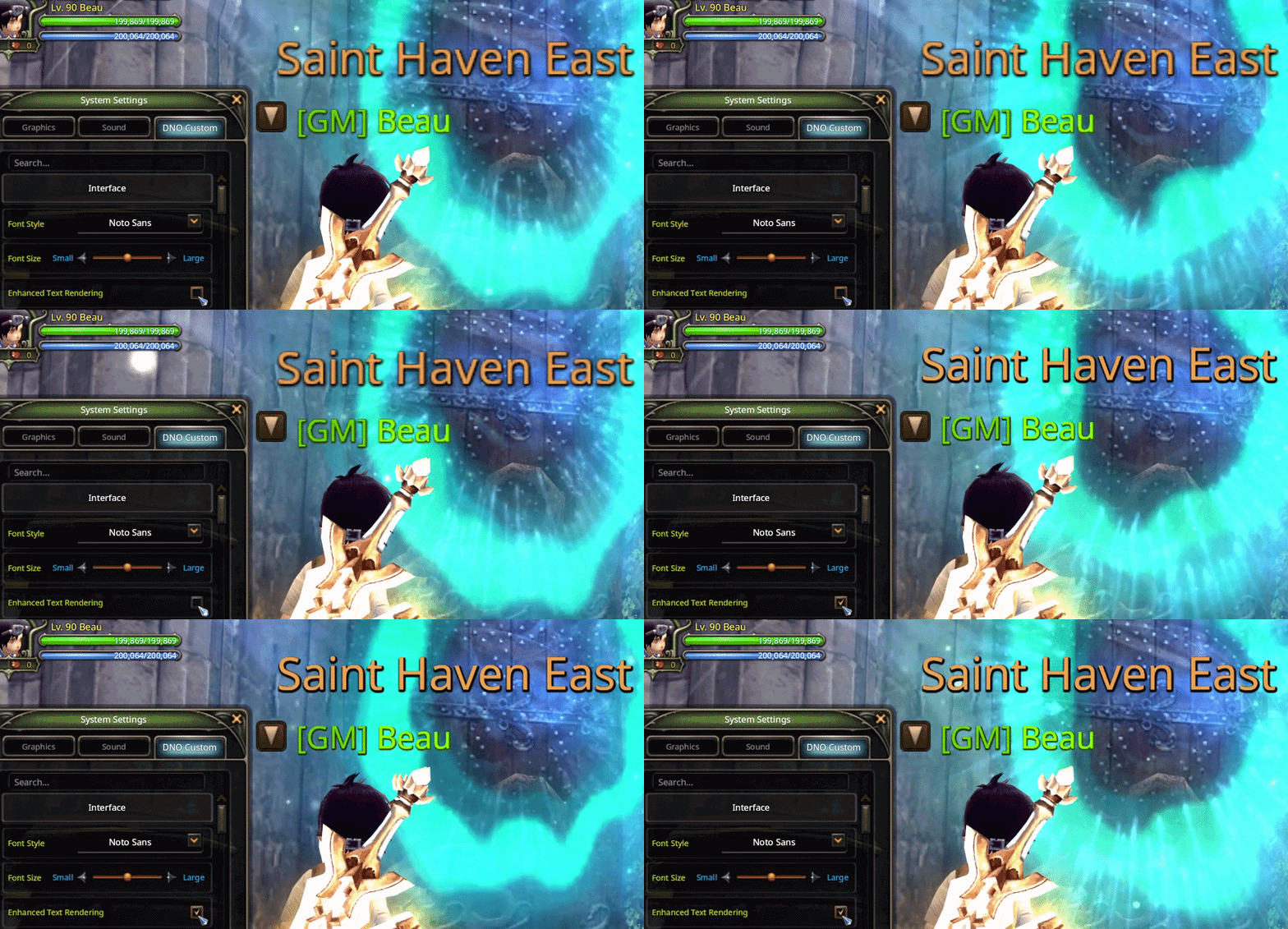
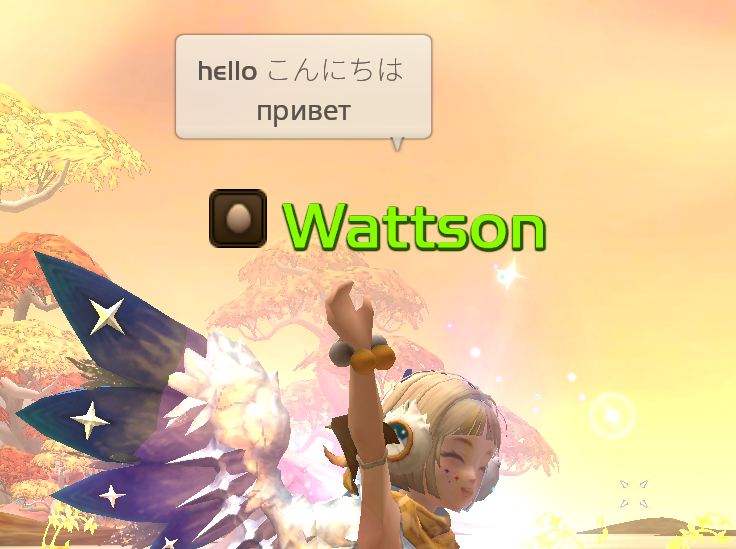
- Font fallback was rebuilt. Before, one Korean or Chinese character in a chat line switched the entire line to Arial Unicode. Now only the characters your font can't draw are substituted, from a set of Noto fonts that match the UI (dedicated Korean, Japanese and Simplified Chinese), on the same line height.
- New chat text size slider. The default chat text is 25 percent larger so emoji are more readable.
8. Emoji
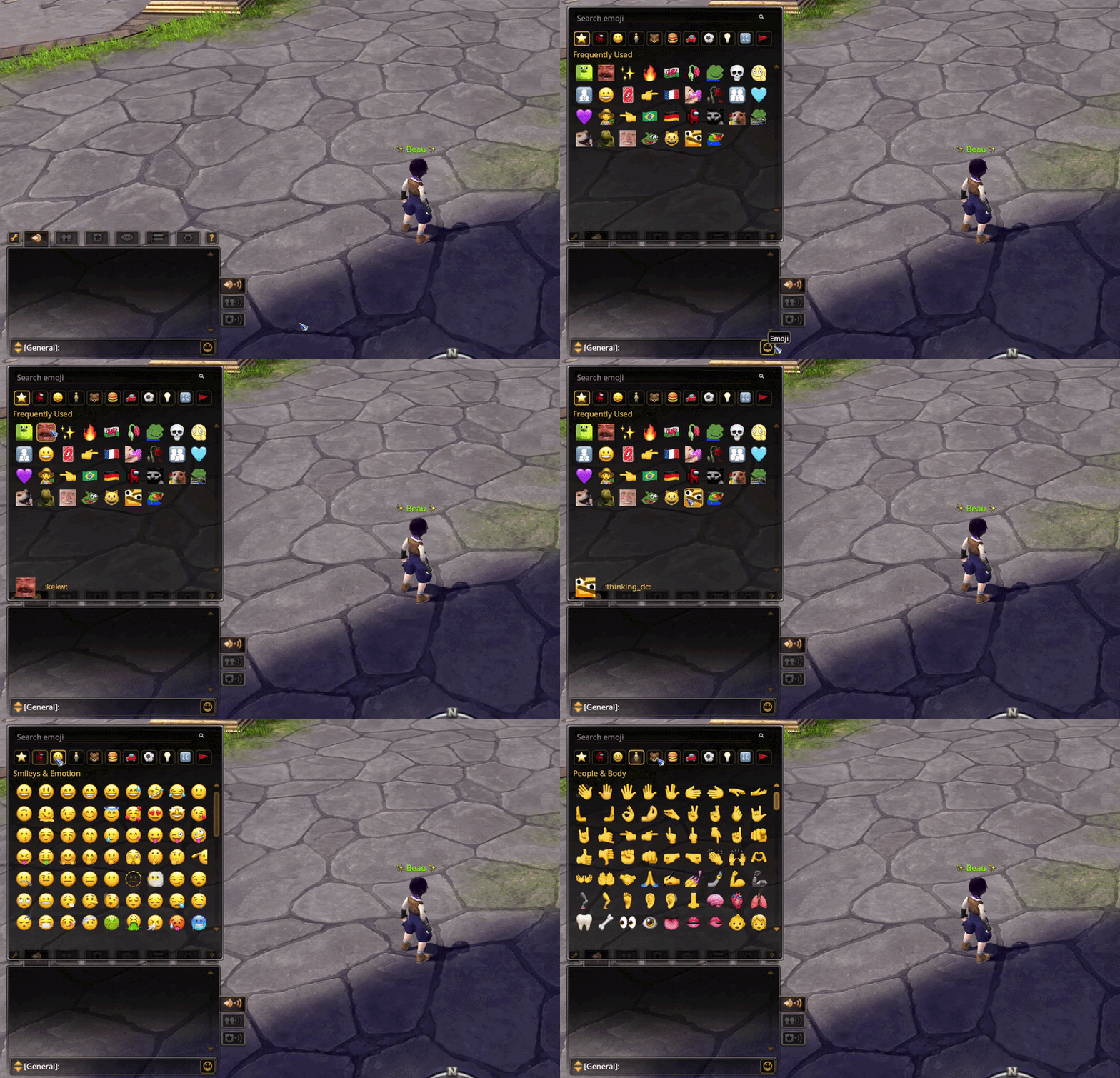
Something I wanted to do for a long time: a complete emoji system has been implemented.
Chat shows real colour emoji, pasted or typed as :shortcode:. Typing : and a few letters opens a suggestion popup (arrows to pick, Enter to accept) that ranks by what you use most and most recently, so your favourites come first even when you type only :. The smiley button next to the chat bar opens a picker with search, categories and a Custom tab with many custom emotes.
9. Voice chat
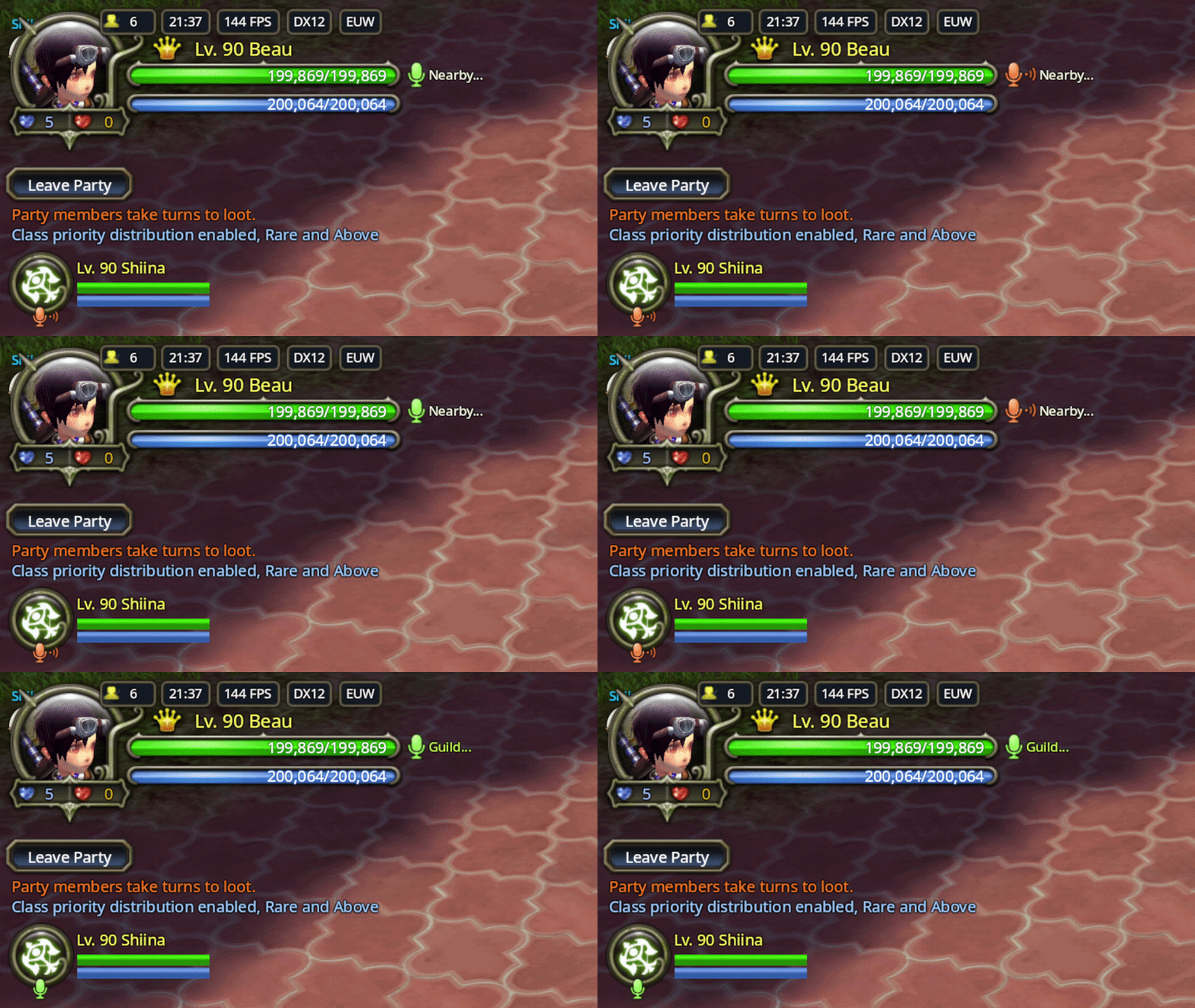
THE GAME NOW HAS VOICE CHAT.
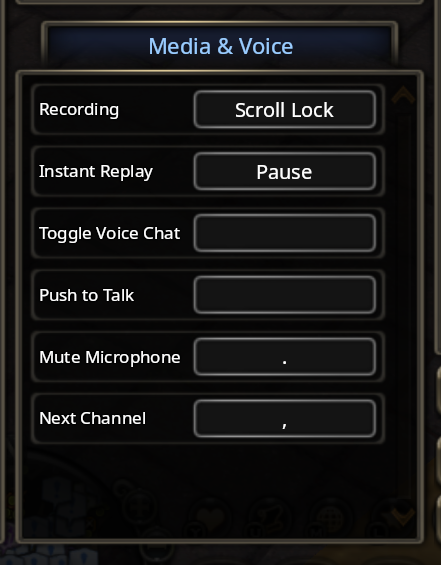
You are always in one channel, picked with the three radio buttons next to the chat tabs or the "Next Channel" keybind:
- Everyone: in town, the players near you talk with a proximity chat, which fades with distance.
- Party: your party only.
- Guild: online guild members, across towns and dungeons.
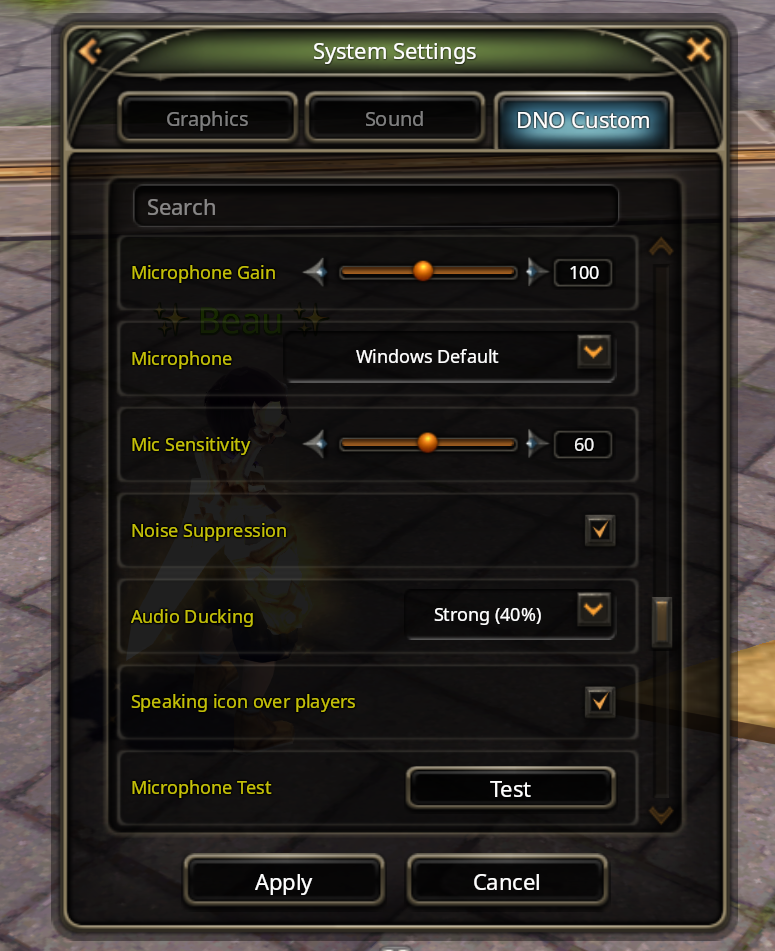
Check out the different buttons and settings in the voice chat section of DNO Custom (voice sensitivity, noise suppresion, audio ducking etc), and the available keybinds in the control settings. Note: voice chat requires GNS network to be enabled.
10. Recorder and instant replay
The old recorder (bandicam) has been removed. Recording is now built into the engine and uses your GPU's hardware encoder (NVENC and the AMD and Intel equivalents), so it costs almost no FPS.
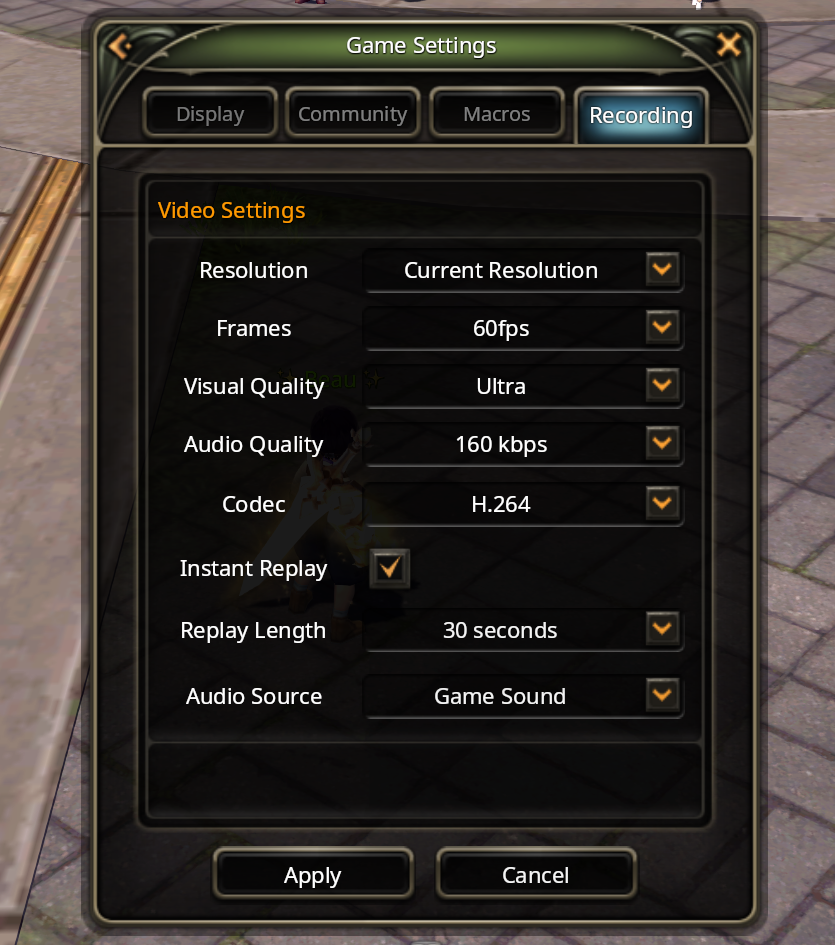
- Game Settings -> Recording: resolution, 24, 30, 60 or 120 FPS, video quality, audio quality, codec (H.264 always, HEVC and AV1 if your GPU has them) and the audio source: Game sounds, System sounds (everything on your PC) or System + Mic.
- Instant replay keeps the last 15, 30, 60 or 120 seconds encoded in RAM and saves the clip when you press Pause (rebindable in control settings).
- Recording needs DX11 or DX12. The DX9 recorder was very old code and half broken, so I dropped it instead of porting it.
11. Controller and keyboard
Fixed the controller issues 90 cap introduced. Gamepads run on SDL3, the input library Steam and most modern games use. It should now support much better Xbox, DualShock, DualSense, Switch and generic pads work over USB and Bluetooth.
Keyboard layouts: Bindings are stored by physical key position instead of key label. Movement keys are in the same physical spot on every layout, so on a French keyboard WASD is ZQSD without touching anything. UI shortcuts like M for the map follow the letter on your actual layout when it can type it. The controls screen shows every key with the real label from your own layout, for any layout Windows knows.
12. Nicknames, friends, blocks and names
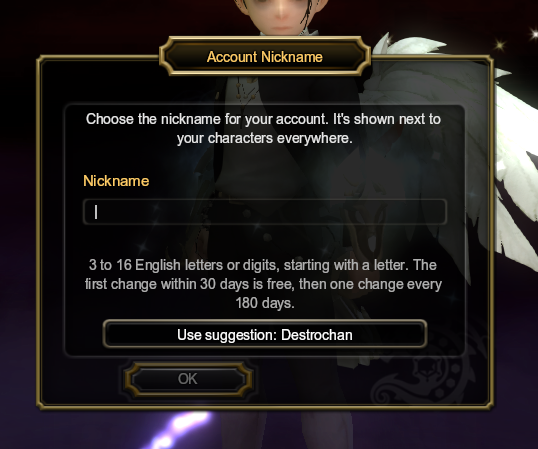
Account nickname. Every account has one nickname now. Your first login after the patch stops at character select and asks for it.
The dialog checks availability as you type and suggests your first highest lvl character's name. Change it in town under DNO Settings -> Account: the first change inside 30 days is free, after that one change per 180 days, and the old name stays reserved for you for 30 days.
Hover a name in chat, click a player, or open the friend or block list and you can now see the account behind the character.
Friends are account-wide now: The friend list shows "Nickname (character they are playing)". You can also add people by nickname or by any of their character names.
Blocks are also account-wide now: Block someone by nickname or by any of their characters. They also now see nothing from you and you see nothing from them: chat, whispers, voice chat, trades, party and guild invites, friend requests, likes etc.
Claiming inactive names: You can now claim a name from an inactive account that hasn't played for over a year. The whole account has to have been inactive for you to be able to claim any of their names. You can do this on DNO Settings -> Account -> Claim Name.
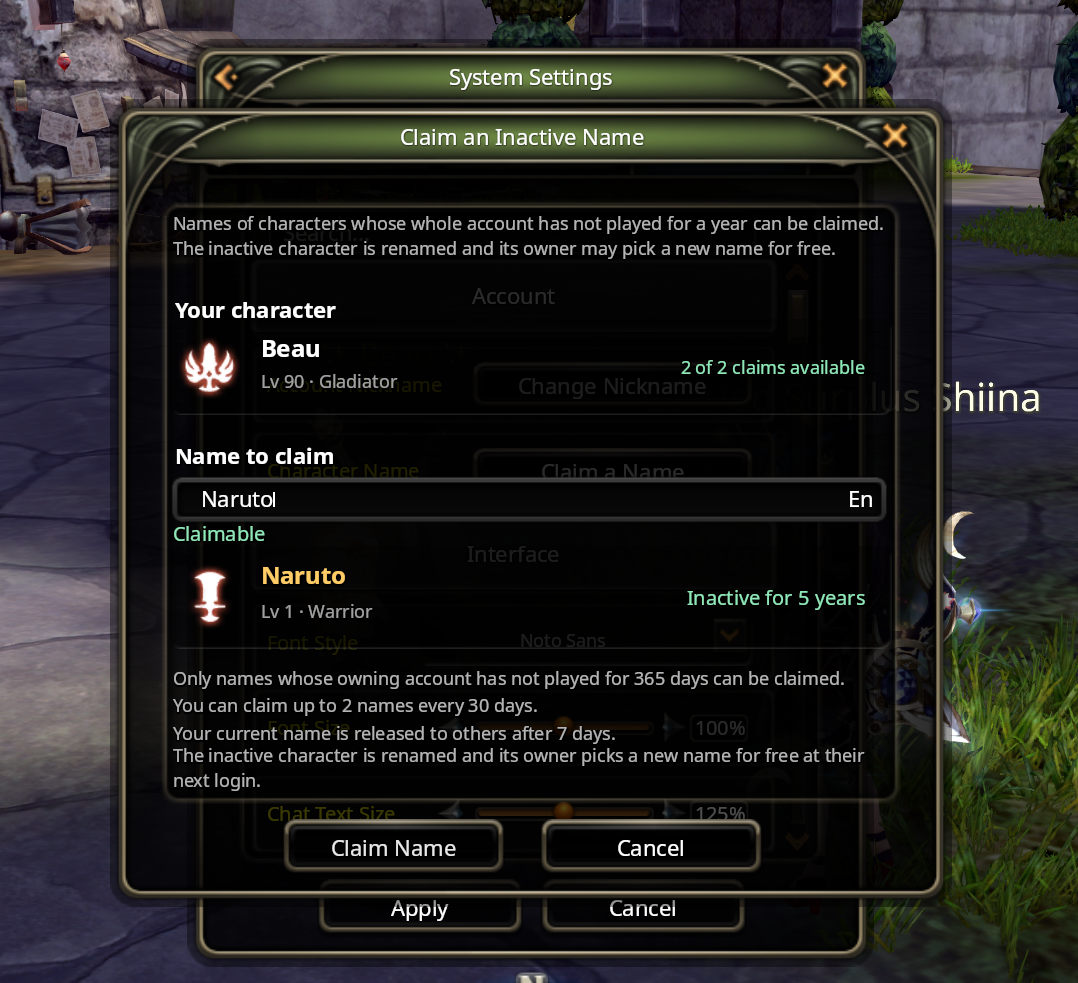
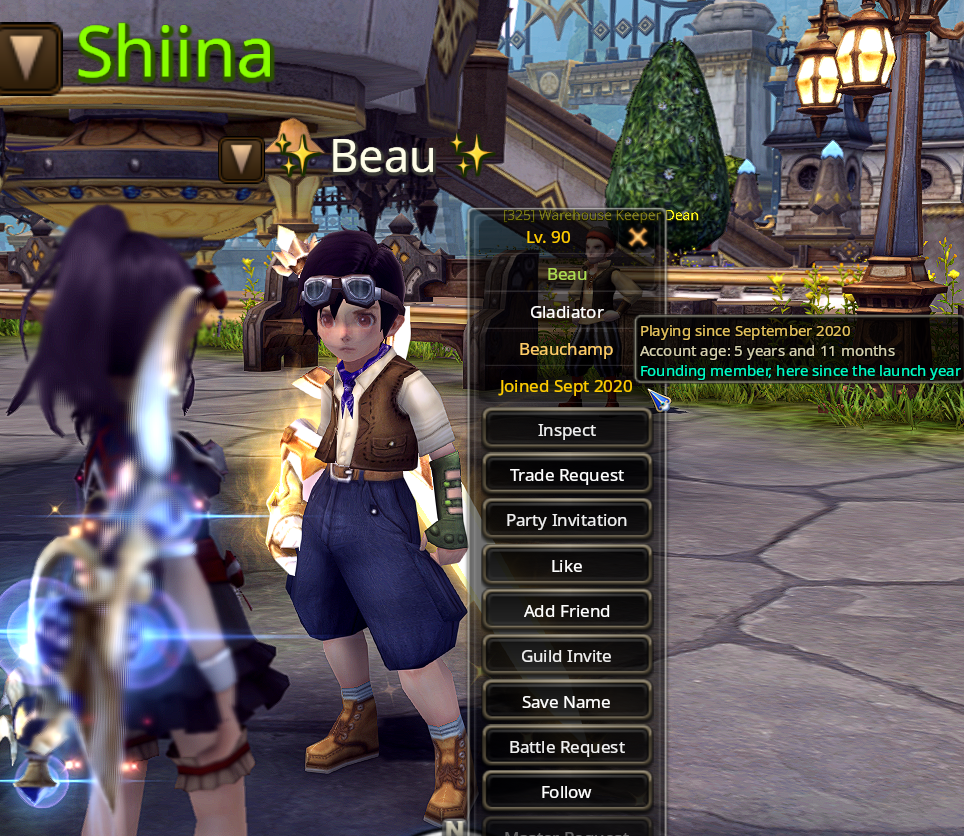
Account age: Click a player, hover their name in chat, or hover a friend and you can now see when they joined and whether they're a new player or a founder.
13. Servers & Tooling
Lots of backend work has been done to improve server stability, especially during situations where the servers have been running for longer than a week.
The backend has also received a big update regarding how servers are managed, but this does not affect players in any way.
A lot of work has also been done to improve my tools to make development much easier and smooth.
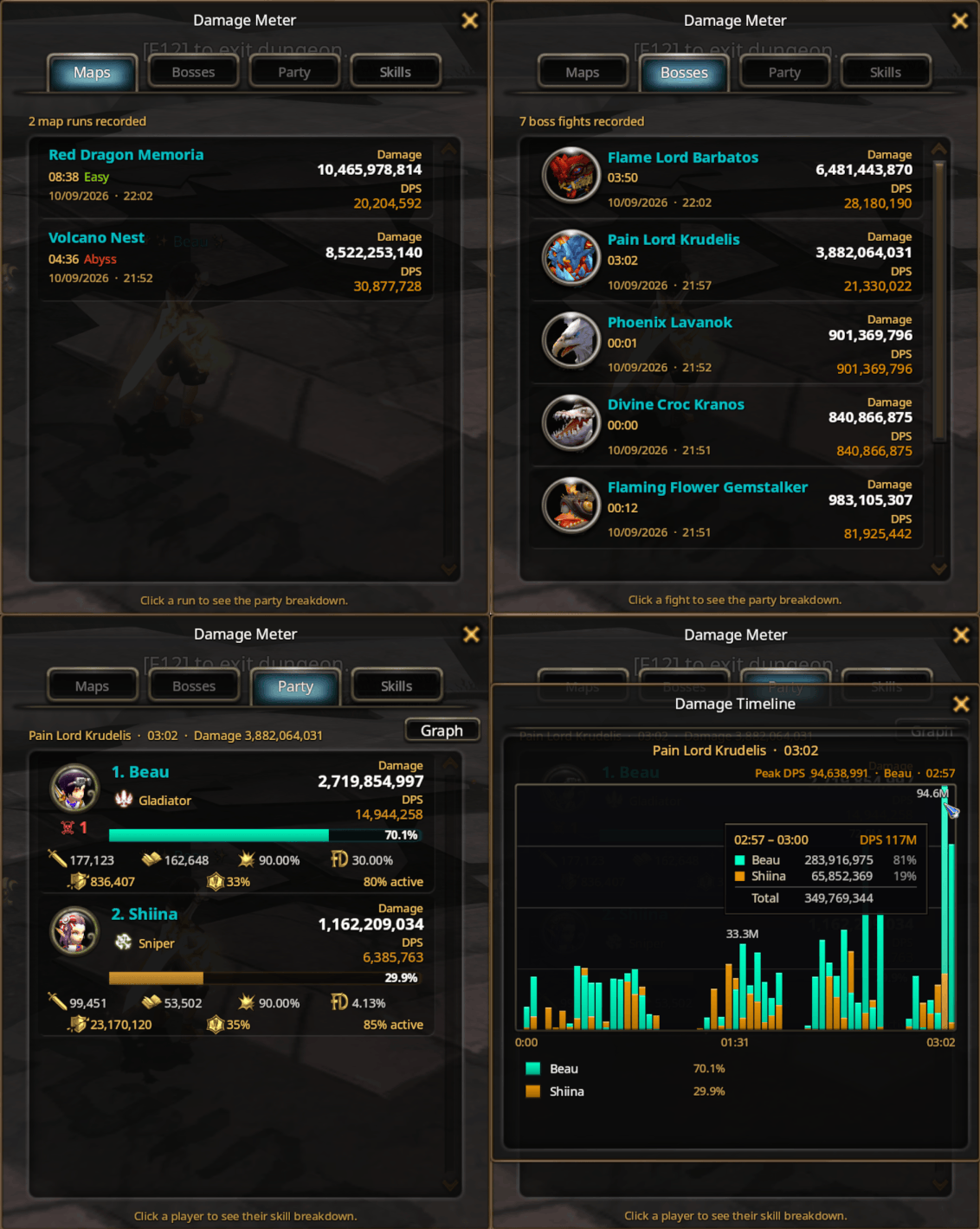
14. DPS meter
The UI has been redesigned to look much better and cohesive. New functionality has also been added, including a damage timeline graph.
15. Inventory, storage, crafting, trading house
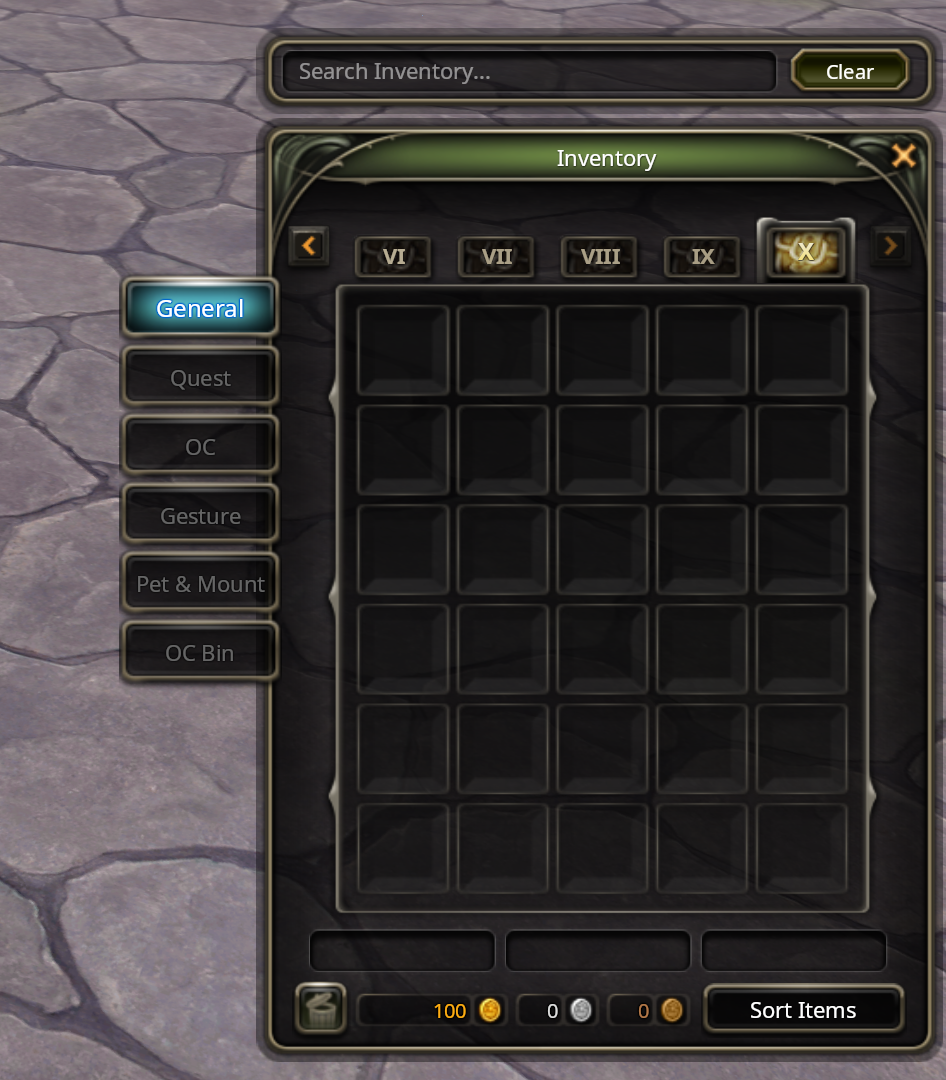
- Inventory: Has been expanded to 10 pages and is now free & fully unlocked for everyone, on all your characters. All storage slots have also been unlocked for everyone.
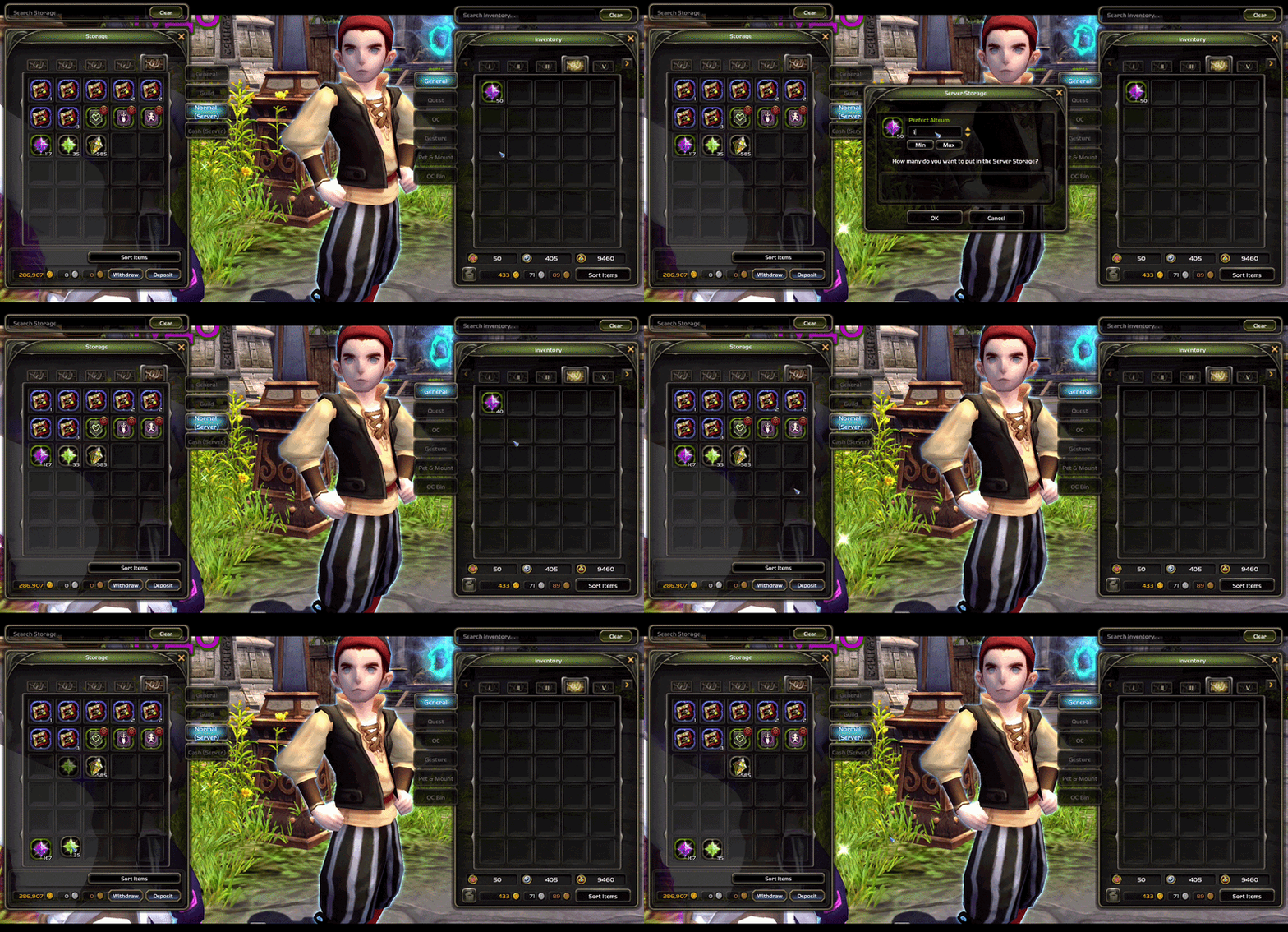
- Server storage: Items now keep their slots even if you relog, you can drag inside the storage and deposits stack onto existing piles.
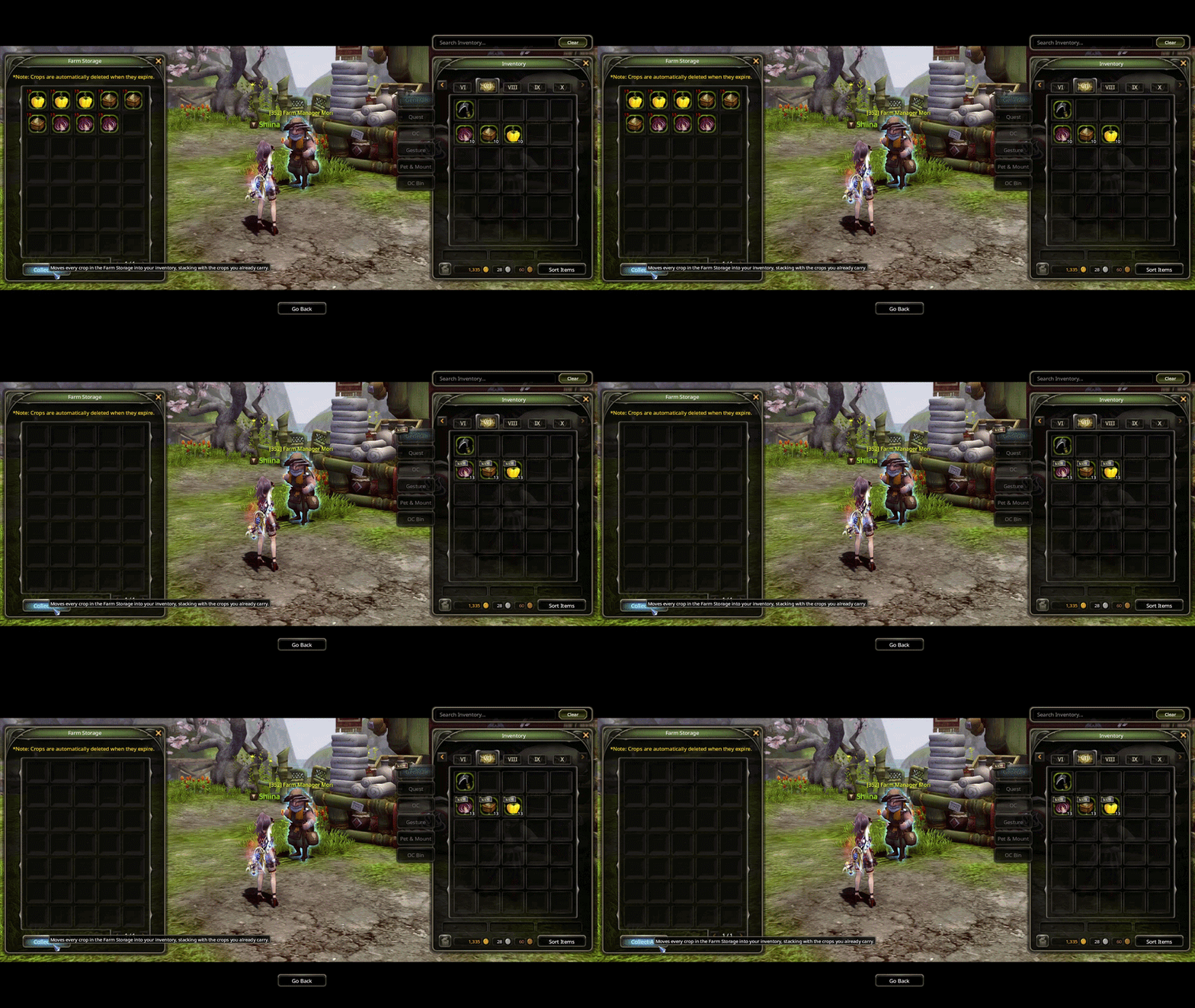
- Farm storage has a Collect All button, and collected items stack into your inventory.
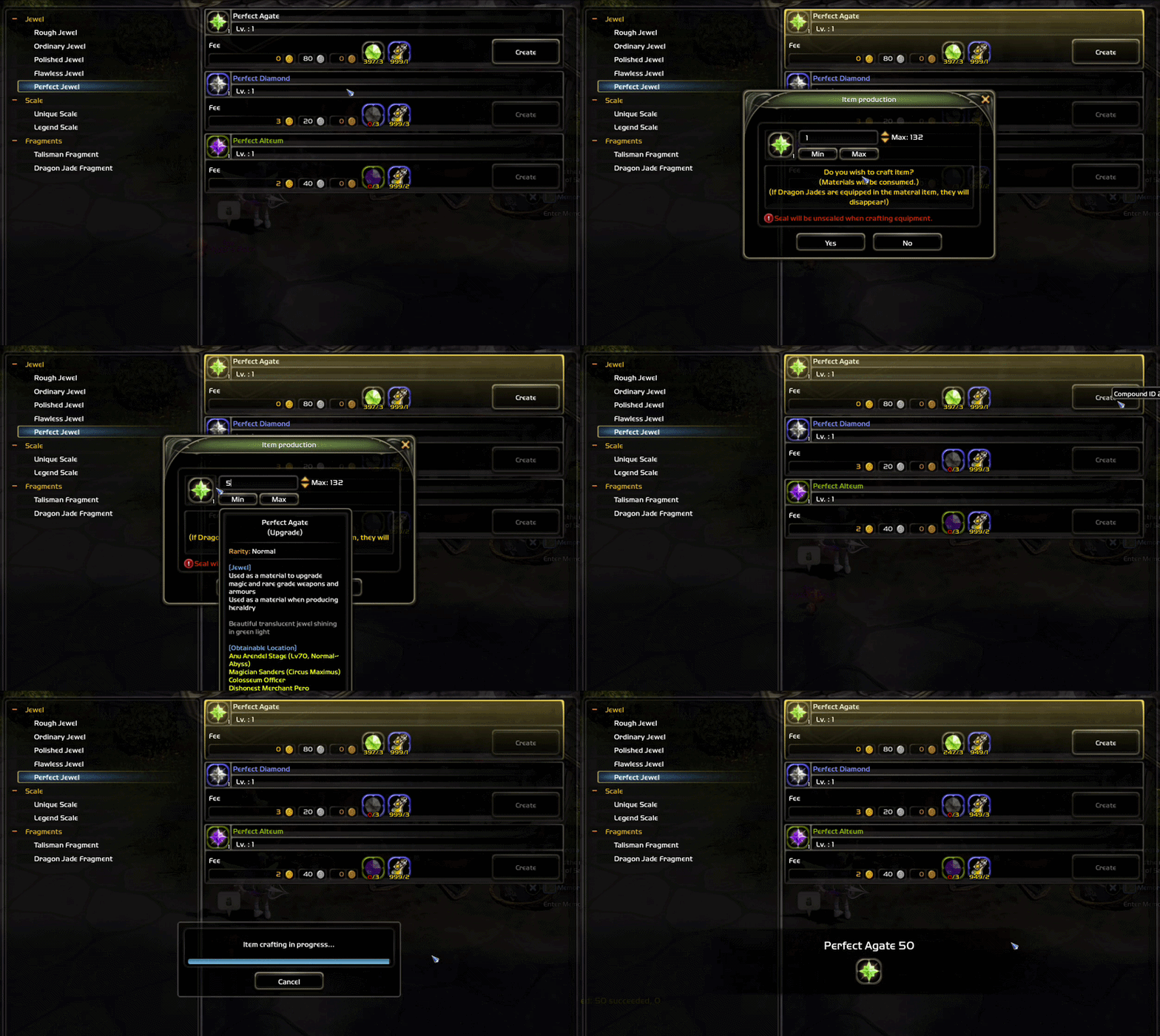
- Crafting 50 diamonds creates 50 diamonds in one request instead of the client clicking OK for you 50 times.
- The trading house lists 5 items per page again to fit all of them without having to scroll.
- Trading house search works in your selected language now. Type the item name the way your tooltip shows it (French, German, Russian, Chinese), English still works too.
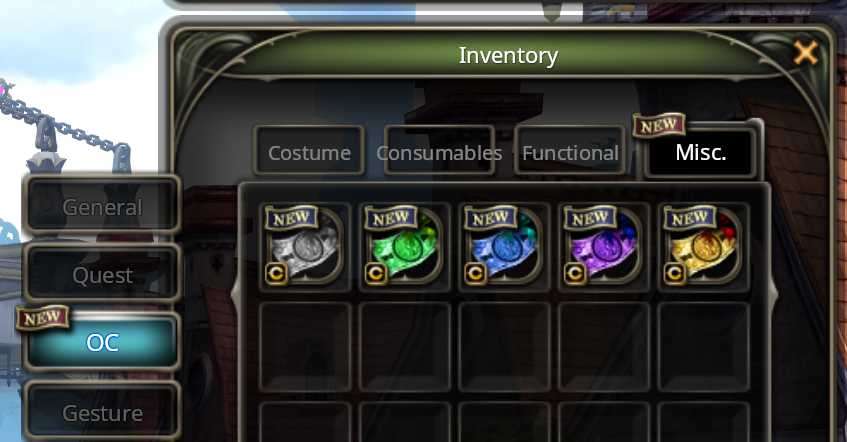
- DNP coupons show their value with commas (100,000, 10,000, 5,000, 1,000) and each has its own icon colour (added a tint to easily differentiate them).
- Lv90 epic dragon jades can be now extracted for jade fragments.
16. Pets, mounts, dyes and cosmetics
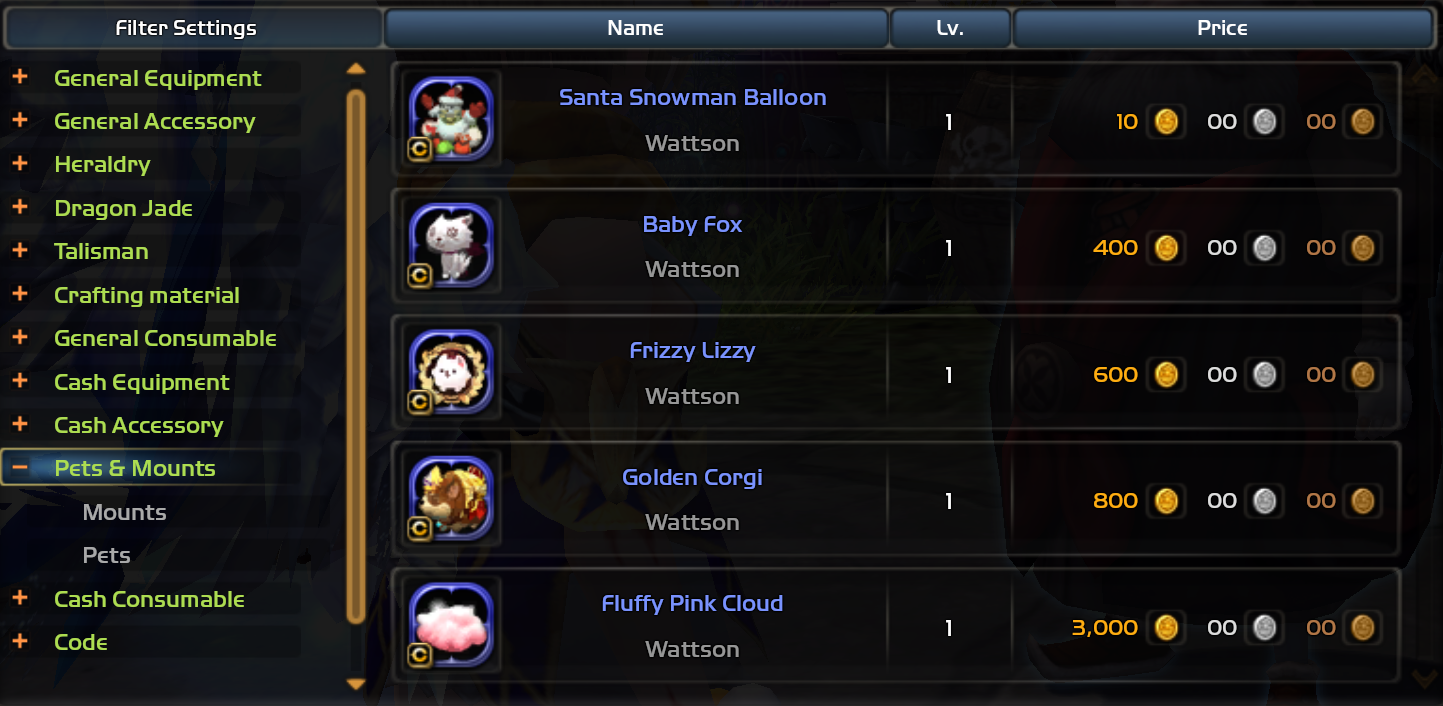
Pets and mounts. Pets and mounts can be listed in the trading house and have their own section now. You can now also place them into the cash server storage and move them between your characters. Warranty now also works on them.
Dyes. The cash shop's dye tabs open a colour picker. Presets, your recent colours and Apply Dye applies it immediately and for free. The "Dye Items" button at the top right brings back the old dye items in case you want one you can't reproduce. The skin picker is tuned per class (Kali keeps her darker tones but you can push toward light, green or red) and keeps the range "sane".
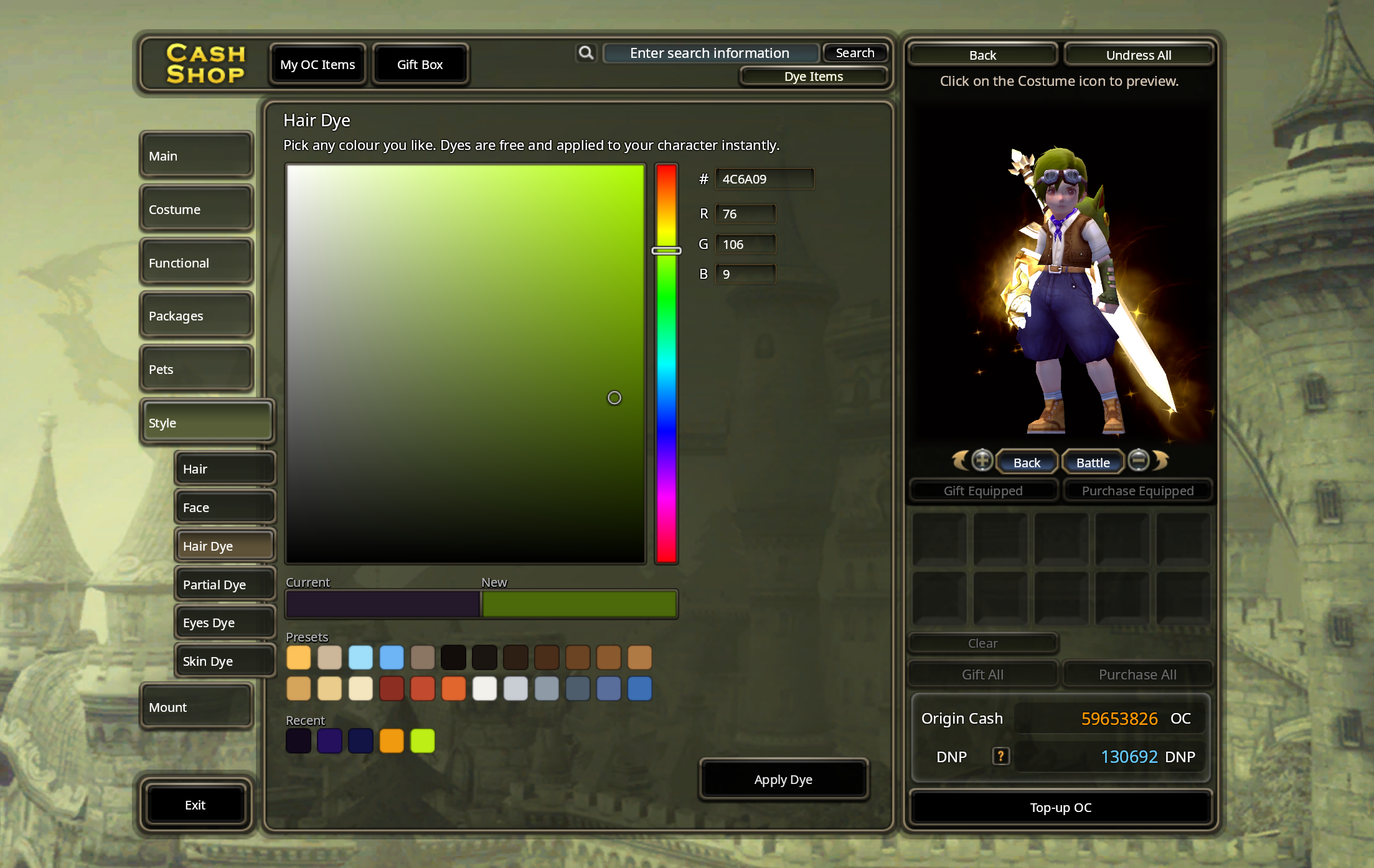
Tip: buy the hairstyle, use it, then dye it.
Weapon enhancement glow is now a setting in DNO Custom that can disable it for everyone, only mine, only others or nobody.
Hide other mount effects and Hide other body auras options have also been added. Body auras also no longer hide after a cutscene or a stage change.
17. Class Changes
Obscuria
- Meteor Storm: damage up 20%, and you can tumble out of it.
- Gravity Controller (Class Mastery I): Meteor Storm also applies the additional damage effect.
- Class Mastery II: the dark attack effect is a magic attack effect now.
Light Fury
- Chakra Cure: range greatly increased.
- Chakra Heal: right click to evade leaves a clone meditating for 10 seconds on your behalf. Cooldown 10s to 15s.
Ripper
- Class Mastery II: hits with Shift Blow, Flame Locust, Mortal Blow, Izuna Drop and Artful Chaser reduce Cripple Punisher's cooldown by 1 second, up to 5 seconds per skill. Physical attack bonus 15 to 25%.
Gladiator
- Line Drive EX: hold S during the cast to shorten the dash, at the cost of 30% less damage per hit. Right click at the end for Dash Kick.
- Class Mastery II: the 10 percent attack becomes 10 percent STR. Dash Kick hitting an enemy resets Line Drive Instant's cooldown.
18. Events
Crazy Duck Nest is back! With an event store at Kathy Storyteller. Lots of new cosmetics available: new spirits, costumes and more.
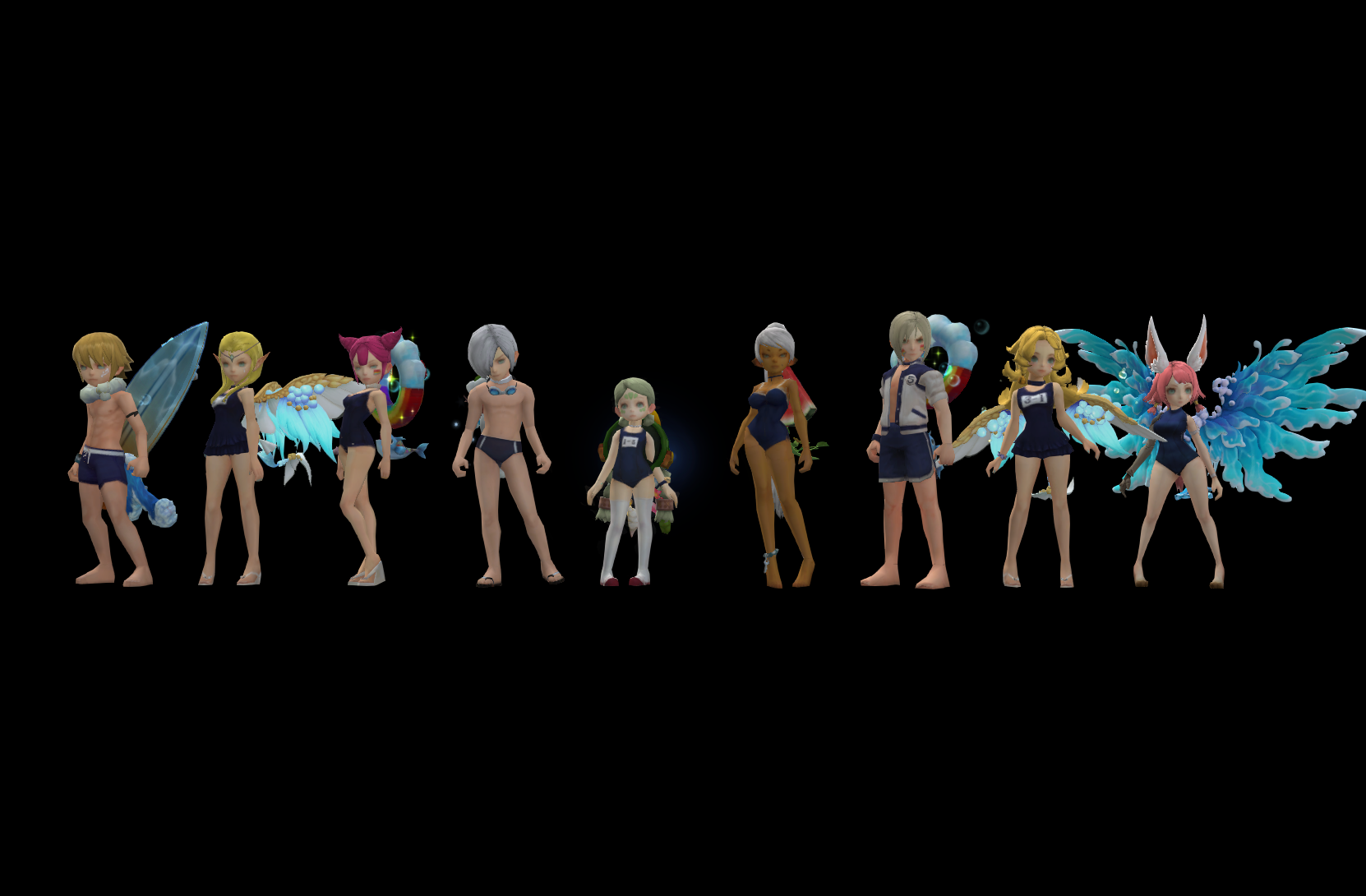
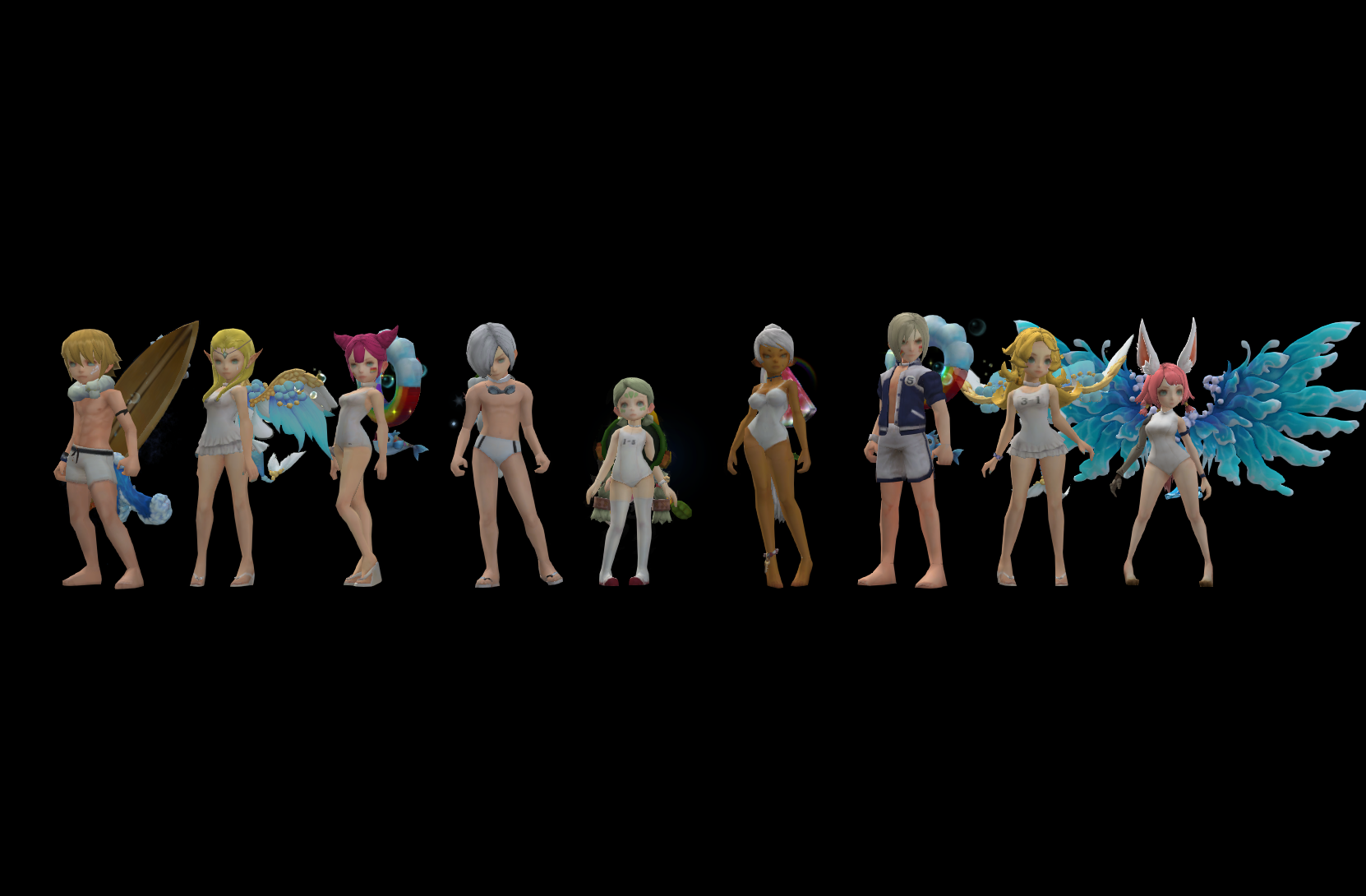
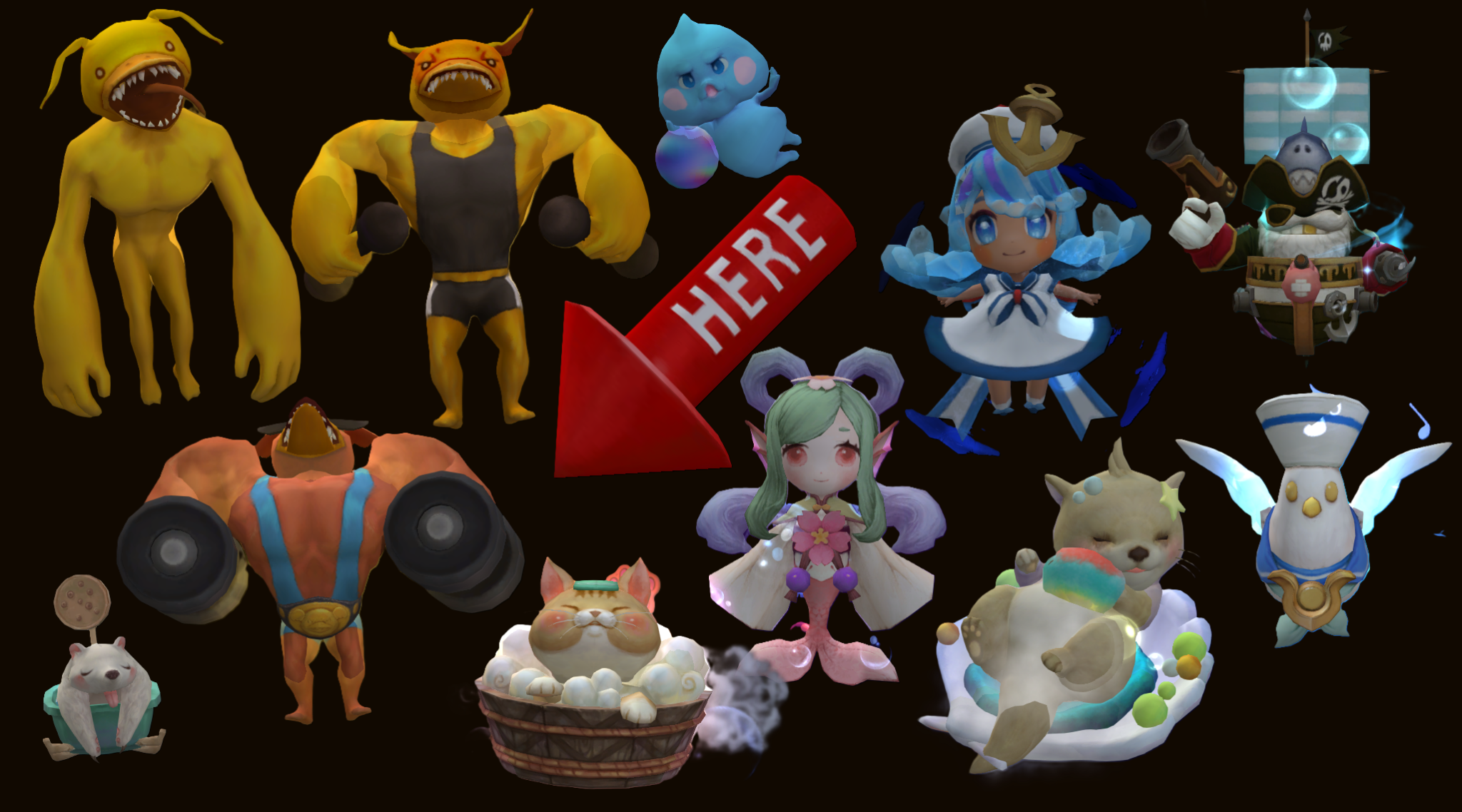

End Date: 5th of October 00:00 Server Time.
Althea Continent Exploration is back! This time it's only available Fridays, Saturdays & Sundays, so make sure you plan ahead!
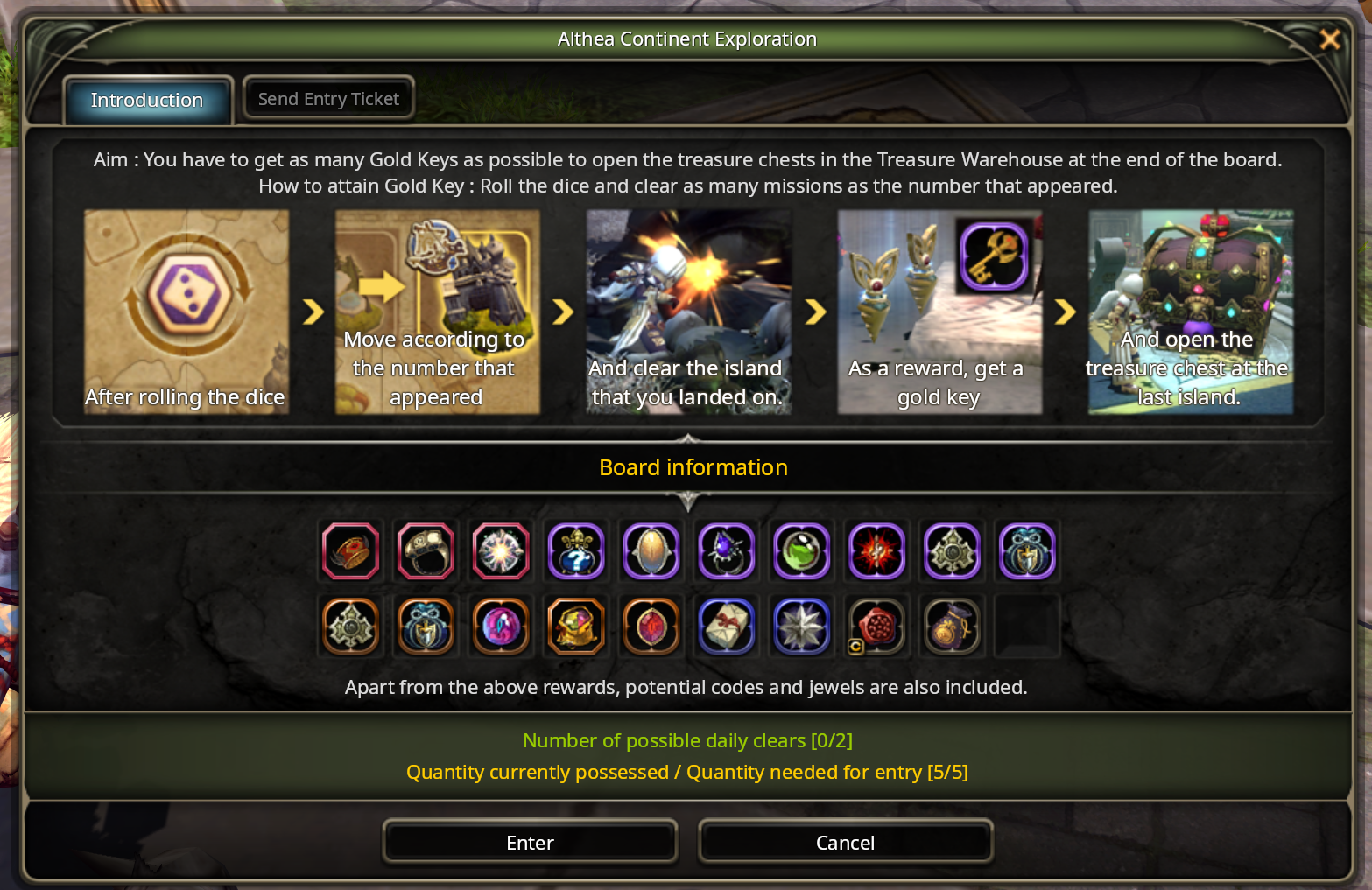
End Date: 10th of October 09:00 Server Time.
19. Fixes & Misc
- Spacebar mechanics no longer make you jump when you get free.
- Paladin's Shield Charge speed and range change no longer applies in PvP.
- Chaser's Rain Drop no longer spawns in the wrong direction when you tumble near the end of the cast or during high FPS situations.
- The revive limit resets properly on Run Again.
- Fixed Ruins of Lost Time not completing it's quest when Abyss difficulty was selected.
- Revival of Serpentra (chapter 5) can be completed. Sea, Green, Desert and Black Dragon duel nests have an easy difficulty for the level they belong to, and the low-level main quests now point to it. It drops nothing and does not count toward the weekly clear limit. Abyss is unchanged.
- Magician Sander in Calderock shows the right store for every class.
- The level 90 daily quest shop now shows up in every language.
- The dungeon enter dialog no longer reappears over a nest's start cutscene.
- Pets follow you facing forward instead of walking backwards.
- Professor K Hardcore now shows F12 on clear.
- Fixed the most common client crashes.
- Enter opens the chat everywhere it should again.
- PrintScreen now works in other programs while the game runs.
- The launcher should no longer refuses to start with "DNOrigins is already running" when it isn't.
- Horn of Life has been removed from Deluxe Boxes & those who got it before this patch will receive new DBs back.
- The Garden area in SH now also applies light on characters properly.
- Fixed a few ways to "cheese" BTG ranking (even though it's there to help new people, not compete!).
- Soul Eater's damage bomb effect now credits each player their amount of contribution in their own DPS (as additional damage on the skill that contributed).
- Fixed multiple causes of "duplicated login" and should now happen way less often or not at all.
- Fixed an issue where sometimes you'd get stuck after attempting to reconnect after a dc.
- Fixed chat channels feature not working (clicking create did nothing).
- Tooltips no longer get recalculated with every single mouse move on item icons, massively reducing the FPS drops.
- In-game notices now support relative timestamps, similar to Discord (e.g "in 23 minutes"), which update automatically as time passes to avoid confusion around maintenance times.

FYI
Next month we'll be celebrating our 6th anniversary and Halloween with some new special events, new content, more class changes & a cash shop update.